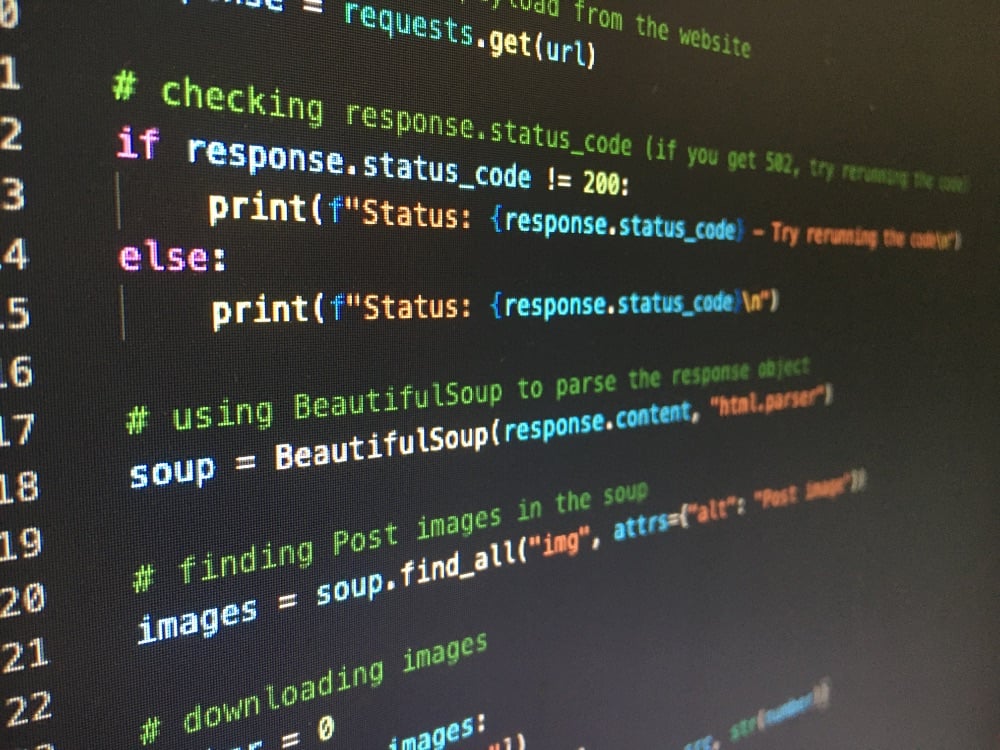
A working Python scraper is about fifteen lines: requests fetches the HTML, Beautiful Soup finds the elements, a loop writes them to a file. The other 95% of the work is everything that happens after that — pages two through two hundred, data that only appears after JavaScript runs, the 403 that shows up on request 300, characters that come back as é, and the run that dies at 2 a.m. with nothing saved.
This is the complete tutorial, in the order you'll hit the problems, with code you can run. Start at the top if you're new. If you already have a scraper that broke, jump to pagination, JavaScript pages, redirects, garbled characters, or 403s and blocking.
Key Takeaways
pip install requests beautifulsoup4 lxmlcovers 90% of real scraping jobs — reach for a browser only after you've confirmed the data isn't in the raw HTML- Before writing a selector, run
curl -s URL | grep "some visible text". If it returns nothing, the page is JavaScript-rendered andrequestsalone will never see the data - Sites that render client-side usually call a JSON API you can hit directly — that endpoint is faster, more stable, and cheaper than driving a browser
- A 403 on request 1 is a headers problem; a 403 on request 300 is a rate-limit or IP problem. The fixes are completely different
- Use
response.content(bytes) rather thanresponse.textwhen encoding looks wrong —requestsguesses badly when a server sends no charset - Deduplicate on a canonical URL plus a content hash, not on the raw URL — tracking parameters make the same page look like a hundred different ones
- Write each record to a JSONL file or SQLite as you go, never to an in-memory list — a crash on page 180 of 200 should cost you one page, not the whole run
- Roll your own until you're spending more time on proxies and browser infrastructure than on the data; at that point a scraping API is cheaper than the maintenance
What you need to get started
Python 3.10 or newer, and a virtual environment so library versions stay per-project:
python -m venv .venv
source .venv/bin/activate        # Windows: .venv\Scripts\activate
pip install requests beautifulsoup4 lxml
Three packages, three jobs:
| Package | Role | Why this one |
requests | Fetches HTML over HTTP | The de facto standard client; sessions, cookies, retries |
beautifulsoup4 | Parses HTML into a searchable tree | Forgiving with broken real-world markup |
lxml | The parser Beautiful Soup runs on | C-based, markedly faster than the built-in html.parser |
If you want the full field of options — Scrapy, Selenium, httpx, Scrapling — see our comparison of the best Python web scraping libraries. For this tutorial, requests plus Beautiful Soup is the right stack, and it stays the right stack far longer than most beginners expect.
Your first Python web scraper
This scrapes book titles, prices, and ratings from books.toscrape.com, a sandbox site built for practice:
import requests
from bs4 import BeautifulSoup

url = "http://books.toscrape.com/catalogue/page-1.html"
response = requests.get(url, timeout=20)
response.raise_for_status()

soup = BeautifulSoup(response.text, "lxml")

for card in soup.select("article.product_pod"):
    title = card.select_one("h3 a")["title"]
    price = card.select_one("p.price_color").get_text(strip=True)
    rating = card.select_one("p.star-rating")["class"][1]
    print(f"{title} | {price} | {rating}")
Run it and you get 20 books. Four things in there are worth internalizing, because they're what separates a script that works once from one that works every day:
timeout=20— without it,requestswaits forever on a hung server and your scraper silently stallsraise_for_status()— turns a 404 or 500 into an exception instead of letting you parse an error page as if it were dataselect()/select_one()— CSS selectors, the same ones you use in the browser console, rather than nestedfind()calls- Scoping to the card —
card.select_one(...)searches inside one product, so titles and prices can never drift out of sync the way two separatefind_all()lists can
How does web scraping actually work?
Every scraper, from a 15-line script to a distributed crawler, is the same four steps:
- Fetch — send an HTTP request, get HTML (or JSON) back
- Parse — turn that text into a tree you can query
- Select — pull out the specific values you want
- Store — write them somewhere that survives the process exiting
Most scraping problems are misdiagnosed because people skip step 0: confirm the data is actually in the response. Your browser shows you the page after JavaScript has run, after XHR requests have resolved, after the framework has hydrated. requests shows you what the server sent. Those are often different documents.
Check before you write a single selector:
curl -s "https://example.com/products" | grep -i "some text you can see on the page"Nothing returned? The page is rendered client-side, and no amount of Beautiful Soup will help. Skip ahead.
Fetching pages properly with requests
requests.get(url) is fine for one page. For a scraper, three habits pay for themselves immediately.
Use a Session. It reuses the TCP connection, which is meaningfully faster across many requests to the same host, and it persists cookies — which a lot of sites require after the first page sets one.
import requests

session = requests.Session()
session.headers.update({
    "User-Agent": "Mozilla/5.0 (Windows NT 10.0; Win64; x64) AppleWebKit/537.36 "
                  "(KHTML, like Gecko) Chrome/141.0.0.0 Safari/537.36",
    "Accept-Language": "en-US,en;q=0.9",
})

response = session.get("https://example.com/products", timeout=20)
response.raise_for_status()
Always pass a timeout. requests has no default one, so a server that accepts your connection and then never replies will hang your scraper indefinitely. Pass a tuple if you want to separate the phases: timeout=(5, 30) is five seconds to connect, thirty to read.
Send parameters as params, not string concatenation. It handles URL encoding for you, which matters the moment a query value contains a space or an ampersand:
response = session.get(
    "https://example.com/search",
    params={"q": "wireless headphones", "page": 2},
    timeout=20,
)
The full API — POST bodies, file uploads, streaming responses, connection pooling, proxy configuration — is covered in our Python requests guide. If you want to work one layer down, urllib3 is what requests is built on.
Parsing HTML: Beautiful Soup and lxml
Beautiful Soup turns a string of HTML into a tree you can query. It doesn't do the parsing itself — it wraps a parser, and which one you pick has real consequences:
soup = BeautifulSoup(html, "lxml")          # fast, forgiving — the default choice
soup = BeautifulSoup(html, "html.parser")   # no dependency, slower, stricter
soup = BeautifulSoup(html, "html5lib")      # slowest, most browser-accurate
soup = BeautifulSoup(xml_string, "xml")     # for XML and RSS, not HTML
Use lxml unless you have a reason not to. It's several times faster than html.parser on large documents and handles malformed markup that the built-in parser gives up on. html5lib builds the tree exactly the way a browser would, including recovering from badly nested tags — reach for it only when lxml produces a tree that doesn't match what you see in DevTools.
Two APIs get you everything:
# CSS selectors — concise, and the same syntax you test in the browser console
soup.select("article.product_pod")            # list of matches
soup.select_one("h1.title")                   # first match, or None

# find/find_all — easier to build dynamically, supports keyword filters
soup.find_all("p", class_="price_color")
soup.find("meta", attrs={"property": "og:title"})
soup.find_all("a", href=True)                 # only anchors that have an href
Getting values out:
el.get_text(strip=True)      # text content, whitespace trimmed
el["href"]                   # attribute — raises KeyError if absent
el.get("href")               # attribute — returns None if absent
el.get("data-id", "")        # attribute with a default
el.get("href") over el["href"] is the difference between a scraper that skips one malformed row and one that dies on page 40. Our Beautiful Soup guide covers the rest of the API — navigating siblings and parents, matching multiple classes, SoupStrainer for partial parsing.
For XML, feeds, and namespaced documents, use lxml directly rather than Beautiful Soup — see parsing XML with Python below.
How do I find the right CSS selector?
Open the page, right-click the element you want, choose Inspect. In DevTools, right-click the highlighted node and pick Copy → Copy selector as a starting point — then shorten it by hand. Browser-generated selectors like body > div:nth-child(3) > div > div.container > article > h3 break the instant anyone touches the layout.
Write selectors that describe meaning, not position:
# Fragile: breaks when a wrapper div is added
soup.select_one("body > div:nth-child(3) > article > h3 > a")

# Durable: survives layout changes
soup.select_one("article.product_pod h3 a")

# Most durable: test IDs and semantic attributes, when the site has them
soup.select_one("[data-testid='product-title']")
soup.select_one("[itemprop='price']")
Test a selector in the browser console with document.querySelectorAll("article.product_pod h3 a") before putting it in code — instant feedback, no request wasted.
If you prefer XPath, lxml gives you the same power with different syntax, plus axes and text matching that CSS can't express (//h2[contains(text(), "Price")]/following-sibling::span). The XPath cheat sheet has the full syntax; in practice most scrapers use CSS by default and drop into XPath for the handful of cases that need it.
How do I handle redirects and URL changes?
requests follows redirects automatically for every method, so most of the time this is invisible — which is exactly the problem. A scraper that silently follows a redirect to a "product not found" page will happily record 500 identical empty rows.
Check where you actually landed:
response = session.get(url, timeout=20)

print(response.url)          # the URL you ended up at
print(response.history)      # list of intermediate responses, oldest first
print(len(response.history)) # 0 means no redirect happened
response.history holds the redirect chain, and response.url is the final destination. Comparing the two against your input URL is the cheapest possible sanity check:
if response.url.rstrip("/") != url.rstrip("/"):
    print(f"{url} redirected to {response.url}")
To see the redirect without following it — useful for expanding shortened URLs, or when the Location header is the data you want:
response = session.get(url, allow_redirects=False, timeout=20)
if response.is_redirect:
    print(response.status_code, response.headers["Location"])
Three things worth knowing:
- The
Locationheader is often relative.urljoin(response.url, location)resolves it correctly; string concatenation does not. - Redirect loops raise
TooManyRedirects, capped bysession.max_redirects(default 30). Lower it to something like 5 for scraping, so a loop fails fast instead of costing you 30 requests. HEADis enough to resolve a chain.session.head(url, allow_redirects=True).urlgives you the final URL without downloading the body — the efficient way to expand a large list of short links.
The redirect codes differ in ways that matter if you're submitting forms: 301, 302, and 303 cause requests to convert a POST into a GET (following long-standing browser behavior), while 307 and 308 preserve the original method and body. If a login POST mysteriously arrives at the server as a GET, that's why.
JavaScript redirects (window.location = ...) and <meta http-equiv="refresh"> are invisible to requests — no HTTP status is involved. For those you need a browser, or you parse the meta tag yourself.
Why does my scraped text come out garbled?
é instead of é, ’ instead of ', or a UnicodeDecodeError all point at the same thing: bytes decoded with the wrong character encoding.
response.text is response.content decoded using response.encoding, which requests derives from the Content-Type header. When a server sends no charset, requests falls back to ISO-8859-1 for HTML — a default that predates the HTML5 spec and is wrong for most modern sites, which are UTF-8.
Three fixes, in order of how often you'll want them:
1. Hand the bytes to the parser. Beautiful Soup does its own encoding detection, including reading the <meta charset> declaration inside the document, which requests never looks at:
soup = BeautifulSoup(response.content, "lxml") # note: .content, not .textThis is the one-line fix and it's right most of the time.
2. Set the encoding explicitly when you know what the site uses:
response.encoding = "utf-8"
html = response.text
3. Let requests detect it from the body rather than the header. response.apparent_encoding runs charset_normalizer over the actual bytes:
response.encoding = response.apparent_encodingDetection is statistical, so it's a fallback, not a default — it's slow on large documents and can guess wrong on short ones.
When you're writing the data out, encode explicitly at every boundary, because Python's default varies by platform:
with open("products.csv", "w", encoding="utf-8", newline="") as f:
    ...
If Excel is the destination, use encoding="utf-8-sig" — the BOM is what tells Excel the file is UTF-8, and without it accented characters render as mojibake even though the file is perfectly valid.
How do I scrape multiple pages?
Almost every real job is multi-page. There are three patterns, and identifying which one you're facing takes ten seconds of clicking "next" and watching the URL bar.
1. Numbered URLs — the page number is in the path or query string:
def scrape_page(page_num):
    url = f"http://books.toscrape.com/catalogue/page-{page_num}.html"
    response = session.get(url, timeout=20)
    if response.status_code == 404:
        return None                      # ran off the end of the list
    response.raise_for_status()
    soup = BeautifulSoup(response.content, "lxml")
    return [
        {
            "title": card.select_one("h3 a")["title"],
            "price": card.select_one("p.price_color").get_text(strip=True),
        }
        for card in soup.select("article.product_pod")
    ]

page = 1
while (books := scrape_page(page)):
    print(f"page {page}: {len(books)} books")
    page += 1
Stop on an empty result or a 404 — never on a hardcoded page count, which silently truncates your data the day the catalog grows.
2. "Next" links — follow the link rather than guessing the URL shape:
from urllib.parse import urljoin

url = "http://books.toscrape.com/catalogue/page-1.html"
while url:
    response = session.get(url, timeout=20)
    response.raise_for_status()
    soup = BeautifulSoup(response.content, "lxml")

    # ... extract records here ...

    next_link = soup.select_one("li.next a")
    url = urljoin(url, next_link["href"]) if next_link else None
urljoin is doing real work: pagination hrefs are usually relative (page-2.html), and string concatenation gets it wrong the moment you're not at the site root.
3. Infinite scroll / "load more" — there is no next URL, because the page calls an API. That's the next section.
How do I scrape data loaded by AJAX?
When content appears as you scroll, or after you click a filter, the page is fetching JSON in the background. You have two options, and one of them is dramatically better.
Find the endpoint. Open DevTools → Network → Fetch/XHR, clear it, then scroll or click. Watch what fires. You'll almost always find a request returning JSON, with a pagination parameter you can drive yourself:
records = []
for offset in range(0, 500, 50):
    data = session.get(
        "https://example.com/api/products",
        params={"offset": offset, "limit": 50},
        timeout=20,
    ).json()
    if not data["items"]:
        break
    records.extend(data["items"])
That's the single highest-leverage trick in this article. A JSON API gives you clean typed data, no parsing, no broken selectors when the design changes, and one request per 50 records instead of one per page-load.
Three details that make the difference between this working and returning a 403:
- Copy the request headers. In the Network tab, right-click the request → Copy → Copy as cURL, and reproduce the headers it shows. Many internal APIs require
X-Requested-With: XMLHttpRequest, aReferer, or an API key that the page's JavaScript sets. - Get the cookies first. Load the normal HTML page with your
Sessionbefore calling the API — some endpoints reject requests without the session cookie the main page sets. - Look for a CSRF or build token. If the API needs one, it's usually in the HTML: a
<meta name="csrf-token">tag, or a__NEXT_DATA__/__NUXT__JSON blob you can parse.
Server-rendered React and Next.js sites embed the whole page state in the HTML, which means no API call at all:
import json

soup = BeautifulSoup(session.get(url, timeout=20).content, "lxml")
blob = soup.select_one("script#__NEXT_DATA__")
data = json.loads(blob.string)
If there's genuinely no reachable endpoint, run a browser — see the next section.
Why is the data missing from the HTML?
You confirmed with curl that the values you want aren't in the response. Three options, in order of what you should try first:
| Approach | Speed | Fragility | When to use |
| Call the underlying JSON API | Fastest | Low | Almost always try this first |
| Headless browser (Playwright/Selenium) | Slow (1–5s/page) | Medium | Data only exists after complex interaction |
| Rendering API | Fast (no local infra) | Low | You want rendered HTML without running browsers |
Drive a real browser when there's no API to call. Playwright is the modern default; Selenium is the incumbent with the larger ecosystem:
from playwright.sync_api import sync_playwright
from bs4 import BeautifulSoup

with sync_playwright() as p:
    browser = p.chromium.launch()
    page = browser.new_page()
    page.goto("https://example.com/products", wait_until="networkidle")
    page.wait_for_selector(".product-card")
    html = page.content()
    browser.close()

for card in BeautifulSoup(html, "lxml").select(".product-card"):
    print(card.select_one(".title").get_text(strip=True))
Note the pattern: the browser's only job is to produce HTML, then Beautiful Soup does the extraction exactly as before. Everything you learned above still applies.
Full setups for both are in our Playwright web scraping guide and Python Selenium guide; the headless browser guide covers the tradeoffs between them.
The third option is having something else run the browser. js=true is the default on our /html endpoint, so you get rendered HTML back from a plain requests.get — no Chromium on your machine, no memory leaks in a long-running job:
response = requests.get(
    "https://api.webscraping.ai/html",
    params={
        "api_key": API_KEY,
        "url": "https://example.com/products",
        "wait_for": ".product-card",   # wait for this selector before returning
    },
    timeout=60,
)
soup = BeautifulSoup(response.content, "lxml")
How do I click buttons and submit forms?
Two very different answers depending on whether the form needs JavaScript.
If it's a plain HTML form, don't open a browser — submit it with requests. Read the form's action, method, and every <input> (including the hidden ones), then post it back:
login_page = session.get("https://example.com/login", timeout=20)
soup = BeautifulSoup(login_page.content, "lxml")
form = soup.select_one("form#login")

payload = {
    i.get("name"): i.get("value", "")
    for i in form.select("input[name]")     # picks up hidden CSRF tokens too
}
payload["email"] = os.environ["SCRAPE_USER"]
payload["password"] = os.environ["SCRAPE_PASS"]

response = session.post(
    urljoin(login_page.url, form["action"]),
    data=payload,
    timeout=20,
)
Building the payload from the form's own inputs rather than hardcoding field names is what makes this survive a redesign, and it's how you carry CSRF tokens without special-casing them.
If the form is JavaScript-driven — React-controlled inputs, a submit handler that calls an API, a multi-step wizard — you need a browser:
page.click("button.accept-cookies")
page.fill("input[name='q']", "wireless headphones")
page.press("input[name='q']", "Enter")
page.wait_for_selector(".results")
The equivalent in Selenium is find_element(By.CSS_SELECTOR, ...) plus .click() and .send_keys(), with WebDriverWait for the waiting. Both are covered in depth in the Playwright and Selenium guides. The one rule worth repeating here: never use time.sleep() to wait for content. Wait on a condition — a selector appearing, a network response, an element becoming clickable — or your scraper will be flaky on a slow day and slow on a fast one.
Before writing click automation, check the Network tab one more time. A "filter" button that fires a single XHR is a requests call, not a browser session.
How do I scrape a site that requires login?
Log in once, then reuse the session. For a form login, that's the POST from the previous section — after which session carries the auth cookie and every subsequent request is authenticated:
dashboard = session.get("https://example.com/dashboard", timeout=20)Verify the login actually worked rather than assuming it did. A failed login usually returns 200 with the login form again, so check for something only the authenticated page has:
if "Sign out" not in dashboard.text:
    raise RuntimeError("login failed — check credentials or CSRF handling")
Beyond simple forms, the common cases:
- Token / API auth — the friendliest case. Send the header and skip the form entirely:
session.headers["Authorization"] = f"Bearer {token}". - JavaScript logins and SSO redirects — drive the login in Playwright or Selenium once, export the cookies, and hand them to a
requestssession for the actual scraping. You get the browser only where you need it. - 2FA — there is no clean automation story. Log in manually, save the session cookies to a file, and reuse them until they expire.
import pickle

# after logging in with a browser
pickle.dump(session.cookies, open("cookies.pkl", "wb"))

# later run
session.cookies.update(pickle.load(open("cookies.pkl", "rb")))
Two non-negotiables. Keep credentials out of your code — environment variables or a secrets manager, never a literal in the script you'll commit. And only automate logins on accounts you're authorized to use: scraping behind authentication is where terms-of-service and legal exposure concentrate, and it's a materially different risk profile from scraping public pages. Our guide to web scraping legality covers where the lines are.
How do I extract data from an HTML table?
If the data you want is a <table>, don't write selectors at all:
from io import StringIO
import pandas as pd

html = session.get("https://example.com/stats", timeout=20).text
tables = pd.read_html(StringIO(html))   # list of DataFrames, one per <table>
df = tables[0]
df.to_csv("stats.csv", index=False)
pandas.read_html finds every table on the page and hands back DataFrames. Pass a StringIO, not a raw string — pandas 2.x deprecated literal-string input. It needs lxml or html5lib installed, which you already have.
Narrow it down when the page has many tables:
tables = pd.read_html(StringIO(html), match="Quarterly revenue")   # match on text
df = pd.read_html(StringIO(html), attrs={"id": "results"})[0]      # match on attribute
Two limits to know. read_html only sees tables in the HTML you give it, so a JavaScript-rendered table needs rendered HTML first (pass driver.page_source, page.content(), or the response from a rendering API). And it handles colspan/rowspan by filling values across the spanned cells, which is usually what you want but occasionally isn't.
When the markup is irregular enough that pandas produces nonsense — nested tables, cells that hold links you need the href from — fall back to explicit parsing:
rows = []
for tr in soup.select("table#results tbody tr"):
    cells = [td.get_text(strip=True) for td in tr.select("td")]
    link = tr.select_one("a")
    rows.append({"cells": cells, "url": link["href"] if link else None})
How do I extract page metadata?
Title tags, meta descriptions, canonical URLs, and Open Graph data are their own scraping job — the input to SEO audits, link previews, and content pipelines. It's all in the <head>:
def extract_metadata(html, url):
    soup = BeautifulSoup(html, "lxml")

    def meta(attr, value):
        tag = soup.find("meta", attrs={attr: value})
        return tag.get("content", "").strip() if tag else None

    canonical = soup.find("link", rel="canonical")

    return {
        "url": url,
        "title": soup.title.get_text(strip=True) if soup.title else None,
        "description": meta("name", "description"),
        "canonical": canonical.get("href") if canonical else None,
        "og_title": meta("property", "og:title"),
        "og_image": meta("property", "og:image"),
        "og_type": meta("property", "og:type"),
        "twitter_card": meta("name", "twitter:card"),
    }
Note the two different attributes: Open Graph tags use property, while description and Twitter Card tags use name. Mixing them up is the reason most half-written metadata extractors return None for half their fields.
Two things worth adding to a real extractor. Resolve relative URLs — og:image is frequently a path, not an absolute URL, so run it through urljoin(url, value). And parse JSON-LD, which is where structured data actually lives on most modern sites:
import json

for tag in soup.find_all("script", type="application/ld+json"):
    try:
        data = json.loads(tag.string)
    except (json.JSONDecodeError, TypeError):
        continue
    # data is a dict or list of schema.org entities
Wrap that in a try — hand-written JSON-LD is invalid often enough that one bad page shouldn't stop a crawl.
How do I parse XML, RSS feeds, and sitemaps?
XML is a different parser, not a different technique. lxml handles it with full XPath support:
from lxml import etree

response = session.get("https://example.com/sitemap.xml", timeout=20)
root = etree.fromstring(response.content)     # bytes, so the XML declaration is honored

ns = {"sm": "http://www.sitemaps.org/schemas/sitemap/0.9"}
urls = [loc.text for loc in root.findall(".//sm:loc", ns)]
Feed etree.fromstring bytes rather than a decoded string — passing a str for a document that declares its own encoding raises ValueError, which is the single most common lxml gotcha.
Namespaces are the second one. Nearly every real XML document declares one, and an XPath that ignores it silently matches nothing. root.nsmap shows you what's declared.
For RSS and Atom, feedparser is easier than hand-parsing and handles both formats plus the malformed feeds that exist in the wild:
import feedparser

feed = feedparser.parse("https://example.com/feed.xml")
for entry in feed.entries:
    print(entry.title, entry.link, entry.published)
Sitemaps are worth calling out specifically: /sitemap.xml (and the paths listed in robots.txt) often gives you a complete, structured list of every page on a site, with last-modified dates. Crawling that instead of following links is faster, more polite, and less likely to miss pages. Our Python XML parsing guide covers iterative parsing for large documents, XPath on XML, and namespace handling in depth.
How do I scrape data that updates in real time?
There's no such thing as a real-time HTTP scrape — there's polling, and there's a push connection.
Polling is right for prices, availability, and scores. Poll the JSON endpoint rather than the HTML page, and use conditional requests so unchanged data costs you almost nothing:
etag = None
while True:
    headers = {"If-None-Match": etag} if etag else {}
    response = session.get(api_url, headers=headers, timeout=20)

    if response.status_code == 304:
        pass                              # unchanged — no body transferred
    else:
        etag = response.headers.get("ETag")
        handle(response.json())

    time.sleep(30)
Pick the interval from how fast the data actually changes, not from how fast you'd like it. Polling a page every second that updates every ten minutes is 600 wasted requests and a good way to get your IP banned.
WebSockets are the other shape — live dashboards, tickers, and chat push data over a persistent connection. Find it in DevTools under Network → WS, then connect to it directly with the websockets library. It's more work to set up and far cheaper to run than polling, because the server tells you when something changed.
For anything long-running, assume the connection will drop and the page will change. Reconnect with backoff, and alert when you stop receiving data — a real-time scraper that silently stopped an hour ago is worse than one that crashed.
How do I avoid scraping duplicate content?
Two different problems wear the same name.
The same URL twice is the easy one — a set of visited URLs solves it. But raw URLs undercount duplicates badly, because ?utm_source=twitter, a trailing slash, and www. all produce distinct strings for the same page. Canonicalize before you compare:
from urllib.parse import urlsplit, urlunsplit, parse_qsl, urlencode

TRACKING = {"utm_source", "utm_medium", "utm_campaign", "utm_term",
            "utm_content", "gclid", "fbclid", "ref"}

def canonical(url):
    parts = urlsplit(url)
    host = parts.netloc.lower().removeprefix("www.")
    path = parts.path.rstrip("/") or "/"
    query = urlencode(sorted(
        (k, v) for k, v in parse_qsl(parts.query) if k not in TRACKING
    ))
    return urlunsplit((parts.scheme, host, path, query, ""))   # fragment dropped
Don't lowercase the whole URL: hosts are case-insensitive but paths are not, and /Products/Widget and /products/widget can be different pages.
The same content at different URLs — print versions, session-ID URLs, paginated views that repeat the last item — needs a content hash. Hash the extracted text, not the raw HTML, or a rotating ad slot or CSRF token will make every fetch look unique:
import hashlib

def content_hash(soup):
    main = soup.select_one("main, article") or soup.body
    text = " ".join(main.get_text(" ", strip=True).split())
    return hashlib.sha256(text.encode("utf-8")).hexdigest()
Check the page's own <link rel="canonical"> first — when a site publishes one, it's telling you which URL it considers authoritative, and honoring it is cheaper and more accurate than guessing.
For a long-running crawl, keep both sets in SQLite rather than memory, so a restart doesn't re-scrape everything (the storage section below has the schema). At tens of millions of URLs, a Bloom filter trades a small false-positive rate for a large memory saving — but that's a scale where you should be using Scrapy, which does deduplication for you.
How do I store scraped data?
The mistake almost everyone makes once: accumulate everything in a Python list, write it at the end, and lose 40 minutes of work when page 180 throws an exception.
Write as you go. For a few thousand records, JSONL — one JSON object per line — is the best default. It's append-only, survives a crash mid-run, handles nested data, and streams:
import json

with open("products.jsonl", "a", encoding="utf-8") as f:
    for record in records:
        f.write(json.dumps(record, ensure_ascii=False) + "\n")
ensure_ascii=False keeps accented characters readable instead of escaping them to é.
That also gives you free resumability:
import os

seen = set()
if os.path.exists("products.jsonl"):
    with open("products.jsonl", encoding="utf-8") as f:
        seen = {json.loads(line)["url"] for line in f}

for url in all_urls:
    if url in seen:
        continue
    # ... scrape and append ...
For CSV, the two arguments that prevent the classic bugs are newline="" (without it, Windows writes a blank line between every row) and an explicit encoding:
import csv

with open("products.csv", "w", newline="", encoding="utf-8") as f:
    writer = csv.DictWriter(f, fieldnames=["url", "title", "price"],
                            extrasaction="ignore")
    writer.writeheader()
    writer.writerows(records)
extrasaction="ignore" stops one record with an unexpected key from killing the run. If the file is going to Excel, use encoding="utf-8-sig".
For anything you'll re-run on a schedule, use SQLite. A unique key plus ON CONFLICT turns a scraper into an idempotent job you can run daily without duplicates:
import sqlite3

conn = sqlite3.connect("products.db")
conn.execute("""
    CREATE TABLE IF NOT EXISTS products (
        url   TEXT PRIMARY KEY,
        title TEXT,
        price REAL,
        seen_at TEXT DEFAULT CURRENT_TIMESTAMP
    )
""")

conn.executemany("""
    INSERT INTO products (url, title, price) VALUES (:url, :title, :price)
    ON CONFLICT(url) DO UPDATE SET
        title = excluded.title,
        price = excluded.price,
        seen_at = CURRENT_TIMESTAMP
""", records)
conn.commit()| Format | Use when | Avoid when |
| CSV | Flat data, handing off to a spreadsheet | Nested fields, unicode-heavy text, resuming runs |
| JSONL | Default for scraped records; append-only, crash-safe | You need queries or deduplication |
| SQLite | Recurring jobs, dedup, change tracking | One-off extract you'll open in Excel |
| Parquet | Millions of rows, analytics downstream | Small datasets, hand inspection |
Clean on write, not later. Prices as floats, dates as ISO strings, whitespace normalized with " ".join(text.split()) — a "$1,299.99" string in your database is a bug you'll pay for during analysis.
Why am I getting 403 Forbidden?
Two very different failures wear the same status code, and the timing tells you which one you have.
403 on the first request = a headers problem. The default python-requests/2.x User-Agent is an announcement that you're a bot. Send a realistic browser header set — and send the whole set, since a Chrome User-Agent with no Accept-Language is its own kind of tell:
HEADERS = {
    "User-Agent": (
        "Mozilla/5.0 (Windows NT 10.0; Win64; x64) AppleWebKit/537.36 "
        "(KHTML, like Gecko) Chrome/141.0.0.0 Safari/537.36"
    ),
    "Accept": "text/html,application/xhtml+xml,application/xml;q=0.9,*/*;q=0.8",
    "Accept-Language": "en-US,en;q=0.9",
    "Accept-Encoding": "gzip, deflate, br",
    "Referer": "https://www.google.com/",
    "Upgrade-Insecure-Requests": "1",
}

session.headers.update(HEADERS)
Keep that User-Agent current — a Chrome version from three years ago is as suspicious as no Chrome at all. Copy the real string from your own browser's console (navigator.userAgent). If you're rotating across many requests, our guide to user agent rotation covers doing it without creating inconsistent fingerprints.
Still 403 with perfect headers? The site is fingerprinting your TLS handshake. Python's requests has a cipher-suite signature no browser produces, and services like Cloudflare check it. curl_cffi speaks the exact TLS profile of a real browser:
from curl_cffi import requests as cffi_requests

response = cffi_requests.get(url, impersonate="chrome", timeout=20)
It's a near drop-in replacement for requests and it solves a category of block that no amount of header tweaking will.
403 (or 429) after N successful requests = rate limiting or IP reputation. Headers won't fix this. Slow down first, then change IPs — see the next section.
How do I avoid getting blocked or rate limited?
Politeness is also self-interest: a scraper that gets banned collects no data. Start with the site's own rules:
from urllib.robotparser import RobotFileParser
from urllib.parse import urlparse, urljoin

def allowed(url, user_agent="*"):
    root = urlparse(url)
    rp = RobotFileParser()
    rp.set_url(urljoin(f"{root.scheme}://{root.netloc}", "/robots.txt"))
    rp.read()
    return rp.can_fetch(user_agent, url)
robots.txt also often publishes a Crawl-delay, which is a free answer to "how fast is acceptable here?"
Then build retries in properly. Hand-rolled time.sleep() loops miss the important cases; urllib3's Retry handles them, including honoring the server's own Retry-After header on a 429:
from requests.adapters import HTTPAdapter
from urllib3.util.retry import Retry

retry = Retry(
    total=5,
    backoff_factor=1,                                  # 1s, 2s, 4s, 8s, 16s
    status_forcelist=[429, 500, 502, 503, 504],
    allowed_methods={"GET", "HEAD"},
    respect_retry_after_header=True,
)

adapter = HTTPAdapter(max_retries=retry, pool_connections=10, pool_maxsize=10)
session.mount("https://", adapter)
session.mount("http://", adapter)
Concrete rules that keep scrapers alive:
- 1–2 requests per second per domain is a safe default for a site you don't own. Faster only if
robots.txtor an API's documented limits say so - Randomize your delay (
time.sleep(random.uniform(1, 3))). Requests exactly 1.000s apart are a machine signature - Never retry a 403 or 404 — retrying a block just deepens it. Retry 429s and 5xx only
- Back off on the first 429, don't wait for the ban. Double your delay and keep it doubled for the rest of the run
- Cache during development. Save responses to disk so that debugging a selector costs zero requests
When slowing down isn't enough, you need different IPs. Datacenter proxies are cheap and fast — start there. Move to residential only once datacenter IPs are getting blocked, because they cost several times more. Our guide to proxy types covers the tradeoffs; in requests the mechanics are trivial:
proxies = {
    "http": "http://user:pass@proxy.example.com:8000",
    "https": "http://user:pass@proxy.example.com:8000",
}
response = session.get(url, proxies=proxies, timeout=20)
Being blocked is rarely a legal question, but it's worth knowing where the lines are — scraping public data is generally lawful in the US, while bypassing authentication or ignoring a contract you accepted is a different matter. We cover the specifics in is web scraping legal?.
How do I handle errors and exceptions?
Scraping is I/O against systems you don't control, so failure is the normal case, not the exception. The goal is a run that survives bad pages and tells you which ones they were.
Catch the specific exceptions, not everything:
import requests

try:
    response = session.get(url, timeout=20)
    response.raise_for_status()
except requests.exceptions.HTTPError as e:
    log.warning("HTTP %s for %s", e.response.status_code, url)
except requests.exceptions.ConnectTimeout:
    log.warning("could not connect to %s", url)          # retry later
except requests.exceptions.ReadTimeout:
    log.warning("%s accepted the connection then stalled", url)
except requests.exceptions.TooManyRedirects:
    log.error("redirect loop at %s", url)                 # don't retry
except requests.exceptions.RequestException as e:
    log.error("request failed for %s: %s", url, e)        # base class, catch-all
RequestException is the base class for everything requests raises, so a single except RequestException is a legitimate catch-all — but the specific ones tell you whether retrying is worth it. A ConnectTimeout usually is; a TooManyRedirects never is.
Parsing failures are the other half, and they look different. When a selector matches nothing, Beautiful Soup returns None rather than raising, so the error surfaces one line later as the most-reported error in Python scraping:
AttributeError: 'NoneType' object has no attribute 'get_text'Fail explicitly instead:
def required(soup, selector):
    el = soup.select_one(selector)
    if el is None:
        raise ValueError(f"selector {selector!r} matched nothing")
    return el.get_text(strip=True)

def optional(soup, selector, default=None):
    el = soup.select_one(selector)
    return el.get_text(strip=True) if el else default
Deciding which fields are required and which are optional is the useful part: a missing price should stop you and prompt a look at the page, a missing subtitle shouldn't.
Three habits that make a long run debuggable:
- Isolate per-page failures. Wrap each page in a
try, log the URL, continue. One bad page shouldn't end a 10,000-page crawl. - Save the response body when parsing fails. The HTML that broke your selector is the only evidence of why, and it's gone the moment the process exits.
- Use
logging, notprint. You want timestamps, levels, and a file you can grep after an overnight run.
And track a failure count. A scrape that "succeeded" with 4,000 empty records because the site changed its markup is worse than one that crashed — if more than a few percent of pages yield nothing, stop and look.
How do I make my scraper faster?
Sequential requests spends most of its life waiting on the network. httpx plus asyncio fetches concurrently, with a semaphore capping how hard you hit one host:
import asyncio
import httpx

async def fetch(client, sem, url):
    async with sem:
        try:
            response = await client.get(url, timeout=20)
            response.raise_for_status()
            return url, response.text
        except httpx.HTTPError:
            return url, None

async def scrape_all(urls, concurrency=5):
    sem = asyncio.Semaphore(concurrency)
    async with httpx.AsyncClient(headers=HEADERS, follow_redirects=True) as client:
        return await asyncio.gather(*(fetch(client, sem, u) for u in urls))

results = asyncio.run(scrape_all(urls))
The Semaphore is not optional. asyncio.gather over 2,000 URLs without one fires 2,000 simultaneous requests, which is functionally a denial-of-service attempt and will get you blocked in seconds. Five to ten concurrent requests per domain is a reasonable ceiling.
Two other speedups worth more than concurrency, in order of impact:
- Hit the JSON API instead of HTML. 50 records per request beats 20, with no parsing at all
- Use
lxmlas your parser, and parse only the fragment you need (SoupStrainer) on large documents
When should you switch to Scrapy?
Everything above is a script. Scrapy is a framework, and the switch is worth it when you find yourself rebuilding what it already provides: a request scheduler, automatic deduplication, concurrency with per-domain throttling, retry middleware, item pipelines, and resumable crawls.
Concrete signals it's time:
- You're crawling rather than scraping a known list — following links across thousands of pages
- Your
requestsscript has grown a queue, a visited-set, and a retry wrapper (you're writing Scrapy, worse) - You need to pause a multi-day crawl and resume it where it stopped
- You want per-domain rate limits across many hosts in one run
Signals it isn't:
- A few hundred pages, or a single JSON endpoint — the framework overhead exceeds the benefit
- The site needs a real browser for everything, which makes Scrapy's async core mostly wasted
- You need the data once, today
Our Scrapy guide covers spiders, selectors, pipelines, and settings; the libraries comparison puts it next to the alternatives.
Which Python scraping library should you use?
| Tool | What it is | Reach for it when | Skip it when |
requests | HTTP client | Any static page or JSON API | You need concurrency or a browser |
httpx | Async HTTP client | Hundreds of URLs, async codebase | A simple sequential script |
| Beautiful Soup | HTML parser | Extracting from messy real-world HTML | Multi-gigabyte documents |
lxml | HTML/XML parser | XML, XPath, raw speed | You want the friendlier API |
| pandas | Data frames | The data is in <table> elements | Anything not tabular |
| Playwright | Browser automation | Content needs JS or interaction | The data is in the HTML |
| Selenium | Browser automation | Existing code, unusual browsers, Grid | Starting fresh (prefer Playwright) |
| Scrapy | Crawling framework | Thousands of pages, resumable crawls | One-off jobs |
curl_cffi | HTTP client with browser TLS | 403s that headers don't fix | Nothing is blocking you |
The honest default for a new project: requests + Beautiful Soup, plus lxml as the parser. Add Playwright only when you've proven the data isn't in the HTML, and Scrapy only when you're crawling rather than fetching a list.
When should you stop rolling your own?
Requests plus Beautiful Soup is genuinely the right answer for most jobs, and the honest advice is to stay there as long as it works. The switch to a managed API makes sense when your bug reports stop being about data and start being about infrastructure:
- You're maintaining proxy rotation, and a meaningful share of your week goes to swapping providers
- You're running headless Chrome in production and fighting memory leaks, zombie processes, or container images
- The same scraper works locally and fails in your datacenter, because of the IP, not the code
- You're solving CAPTCHAs, or your success rate quietly dropped and you can't tell which layer broke
That's the point where a scraping API is cheaper than the maintenance. It handles rendering, proxies, and retries behind one HTTP call — and your parsing code doesn't change at all:
response = requests.get(
    "https://api.webscraping.ai/html",
    params={
        "api_key": API_KEY,
        "url": "https://example.com/products",
        "js": "true",
        "proxy": "residential",     # datacenter (default) | residential | stealth
        "country": "us",
    },
    timeout=60,
)
soup = BeautifulSoup(response.content, "lxml")   # identical to everything above
When the page structure changes often enough that maintaining selectors is the real cost, describe the fields instead of locating them. The /ai/fields endpoint returns structured JSON from a plain-English description:
data = requests.get(
    "https://api.webscraping.ai/ai/fields",
    params={
        "api_key": API_KEY,
        "url": "https://example.com/products/123",
        "fields[title]": "Product title",
        "fields[price]": "Current price as a number, no currency symbol",
        "fields[in_stock]": "Whether the product is in stock, true or false",
    },
    timeout=60,
).json()
# {"title": "...", "price": "129.00", "in_stock": "true"}
Costs are credit-based and published per request type: a basic datacenter request without JavaScript is 1 credit, JS rendering and residential proxies cost more, and AI extraction adds 5 — the full table is in the docs. Failed requests are free, so blocks don't burn quota. The free tier is 2,000 credits a month with no credit card, which is enough to test whether the infrastructure problem you're fighting actually goes away.
Teams typically arrive here through a specific project — price monitoring across retailers that block datacenter IPs, job listing aggregation across boards with different layouts, or building a RAG knowledge base from thousands of documentation pages.
Common errors and what they actually mean
| Symptom | Real cause | Fix |
AttributeError: 'NoneType' object has no attribute 'get_text' | Selector matched nothing | Print response.text — the element probably isn't in the raw HTML |
Empty list from find_all() | Content is JavaScript-rendered, or the class name is dynamic | Check with curl; look for the JSON API |
| 403 on the first request | Default User-Agent, or TLS fingerprint | Full browser header set, then curl_cffi |
| 403/429 after N requests | Rate limit or IP reputation | Slow down, back off, then rotate proxies |
é or ’ in your output | Wrong encoding guess | Parse response.content, or set response.encoding |
UnicodeEncodeError on write | Platform default encoding | open(..., encoding="utf-8") explicitly |
TooManyRedirects | Redirect loop, often a cookie the site expects | Use a Session; lower max_redirects to fail fast |
| Blank rows between CSV records | Missing newline="" on Windows | open(path, "w", newline="") |
| Works locally, fails on a server | Datacenter IP blocked | Residential proxy, or a scraping API |
| Data shifts between pages | Two parallel find_all() lists misaligned | Loop over containers, scope selectors inside each |
ValueError from lxml.etree.fromstring | Passed a str for a document declaring its encoding | Pass response.content (bytes) |
Frequently asked questions
Is Python good for web scraping?
It's the default choice, and deservedly so: requests and Beautiful Soup make the common case a dozen lines, Scrapy covers large crawls, Playwright and Selenium cover browsers, and pandas is right there when the data is tabular. The main alternative is JavaScript with Node — reasonable if your team is already there, but the Python ecosystem is deeper for the parsing and data-handling half of the job.
Do I need Beautiful Soup, or is requests enough?
They do different jobs. requests fetches the HTML; Beautiful Soup turns it into something you can query. You can technically extract with regular expressions, but HTML isn't a regular language and that approach breaks on the first nested tag or attribute reordering.
Which Beautiful Soup parser should I use?
lxml by default — it's the fastest and handles broken markup well. Use html.parser when you can't install a C extension, and html5lib when you need a tree that exactly matches what a browser builds, at a significant speed cost. Pass "xml" for XML and RSS documents.
Why does my scraper return empty results when the browser shows data?
Almost always JavaScript rendering. requests receives the server's HTML, while your browser shows the page after scripts have run. Confirm with curl -s URL | grep "expected text"; if it's not there, find the JSON API the page calls or render the page with Playwright, Selenium, or a rendering API.
How do I fix garbled or accented characters?
Pass response.content (bytes) to Beautiful Soup instead of response.text — the parser reads the document's own <meta charset>, which requests ignores. If it's still wrong, set response.encoding explicitly or fall back to response.apparent_encoding.
How do I stop requests from following redirects?
Pass allow_redirects=False, then read response.status_code and response.headers["Location"]. To inspect a chain you did follow, response.history holds the intermediate responses and response.url is where you ended up.
How fast can I scrape without getting blocked?
One to two requests per second per domain is a safe default, randomized rather than fixed, unless robots.txt or documented API limits say otherwise. Back off immediately on the first 429 instead of waiting for a ban, and never retry a 403.
Can I scrape a site that requires a login?
Technically yes — log in with a requests.Session and reuse the cookies. Legally and contractually it's a different question from scraping public pages, since you've accepted terms of service to get the account. Only do it on accounts you're authorized to use, and read is web scraping legal? first.
Should I use Scrapy or requests plus Beautiful Soup? Start with requests and Beautiful Soup. Move to Scrapy when you're crawling rather than fetching a known list, need resumable multi-day runs, or find yourself hand-writing a scheduler, a dedupe filter, and retry middleware.
How do I save scraped data to CSV?
csv.DictWriter with newline="" and encoding="utf-8", or pandas.DataFrame(records).to_csv(path, index=False). Use utf-8-sig if the file is destined for Excel. For runs you might need to resume, JSONL is a better default than CSV.
Where to go deeper
This post is the map; these are the territories:
- Python requests guide — sessions, POST, headers, retries, streaming
- Beautiful Soup guide — the full parsing API:
find,select, navigation, attributes - Python web scraping libraries — Scrapy vs. Selenium vs. requests vs. the rest
- Scrapy guide — spiders, pipelines, and large resumable crawls
- Python Selenium and Playwright — browser automation in depth
- XPath cheat sheet — the other selector language, and when it beats CSS
- Python XML parsing —
lxml, sitemaps, feeds, and namespaced documents - urllib3 guide — connection pooling and retries one layer below
requests - Headless browser guide — choosing between browser automation tools
Start with the 15-line scraper at the top of this page against a site you actually care about. You'll hit pagination within an hour and JavaScript rendering within a day, and by then you'll know exactly which section to come back to.
Ready to skip the proxy and browser infrastructure entirely? Get 2,000 free API credits — no credit card required.
